Setup
Installation
Swift Package Manager (recommended)
In Xcode, choose File ▸ Add Package Dependencies… and add:
https://github.com/transistorsoft/transistor-background-fetch
Add the BackgroundFetch library product to your target. A single import BackgroundFetch
then exposes the BackgroundFetch.shared Swift API used throughout these docs.
CocoaPods
pod 'TSBackgroundFetch'
Note
The CocoaPods spec currently vendors the Objective-C TSBackgroundFetch framework only.
To use the BackgroundFetch.shared Swift API shown in these docs, install via Swift
Package Manager.
Background Modes
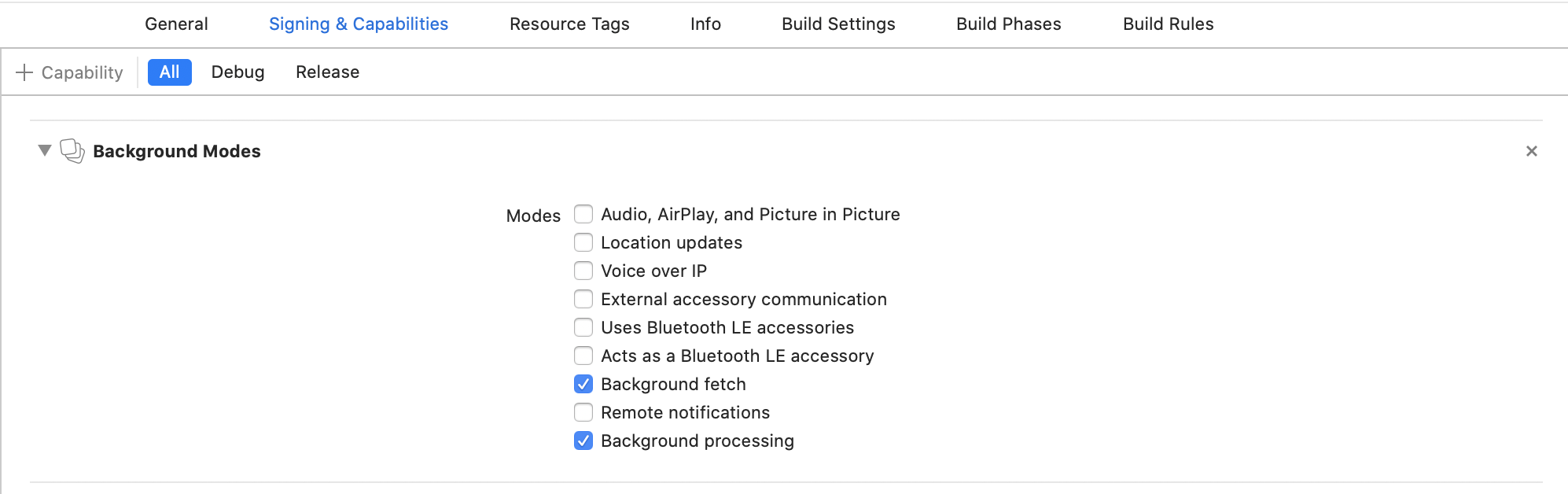
In Xcode, select your project root → Signing & Capabilities → + Capability → Background Modes. Enable:
- [x] Background fetch
- [x] Background processing (only if you intend to use
BackgroundFetch.scheduleTask)
Info.plist
Open your Info.plist and add the key "Permitted background task scheduler identifiers":
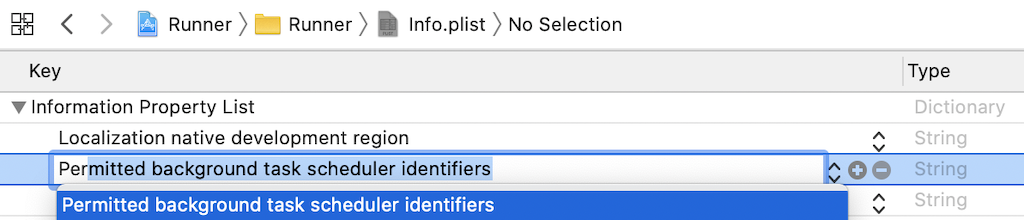
Add the required identifier com.transistorsoft.fetch:

If you intend to execute your own custom tasks via BackgroundFetch.scheduleTask, you must add those custom identifiers as well. For example, if you intend to execute a custom taskId: 'com.transistorsoft.customtask', you must add the identifier com.transistorsoft.customtask to your "Permitted background task scheduler identifiers", as well.
Warning
A task identifier can be any string you wish, but it must be prefixed with com.transistorsoft..