Debugging
Background Fetch events are notoriously difficult to test because the OS controls when they fire. Use these simulation techniques during development.
iOS
Simulating Fetch Events
iOS 13+ uses the BGTaskScheduler API. To simulate a fetch event:
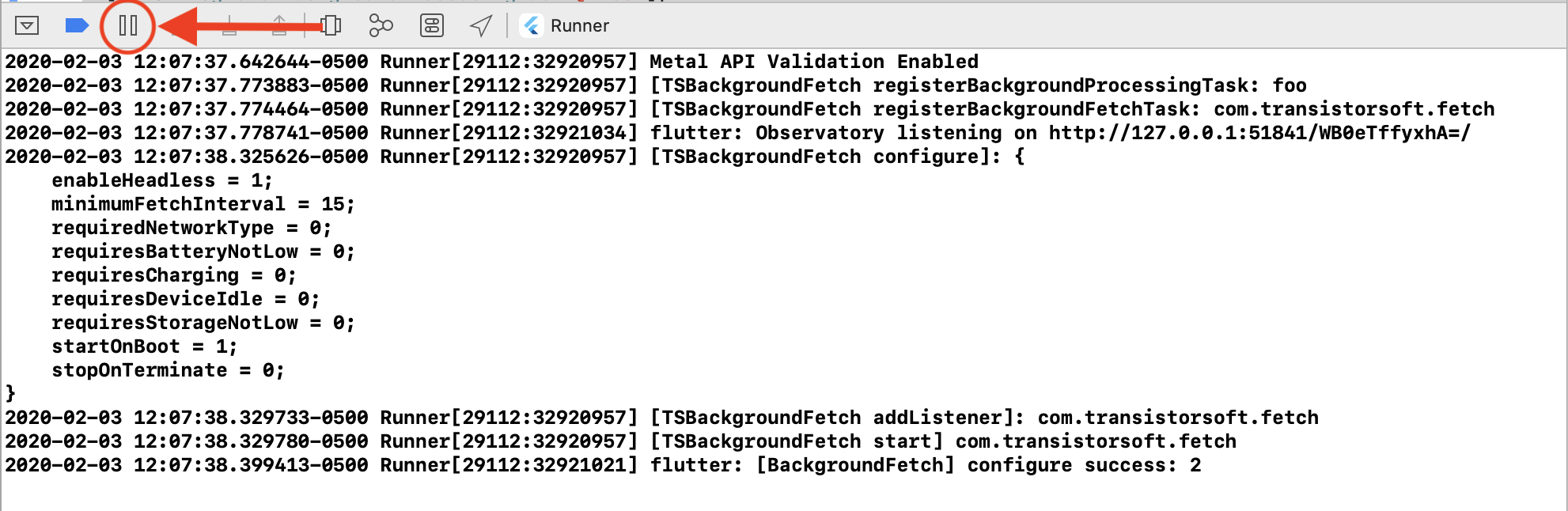
- Run your app in Xcode.
- Click the Pause button () to initiate a breakpoint.
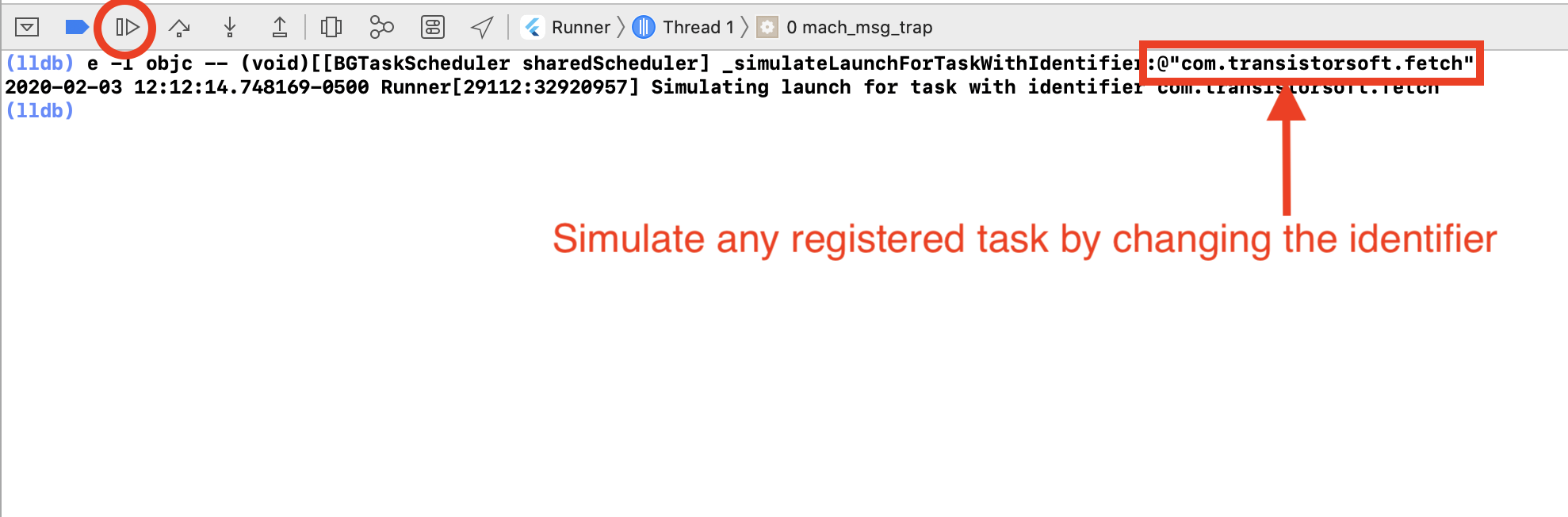
- In the
(lldb)console, paste:
e -l objc -- (void)[[BGTaskScheduler sharedScheduler] _simulateLaunchForTaskWithIdentifier:@"com.transistorsoft.fetch"]
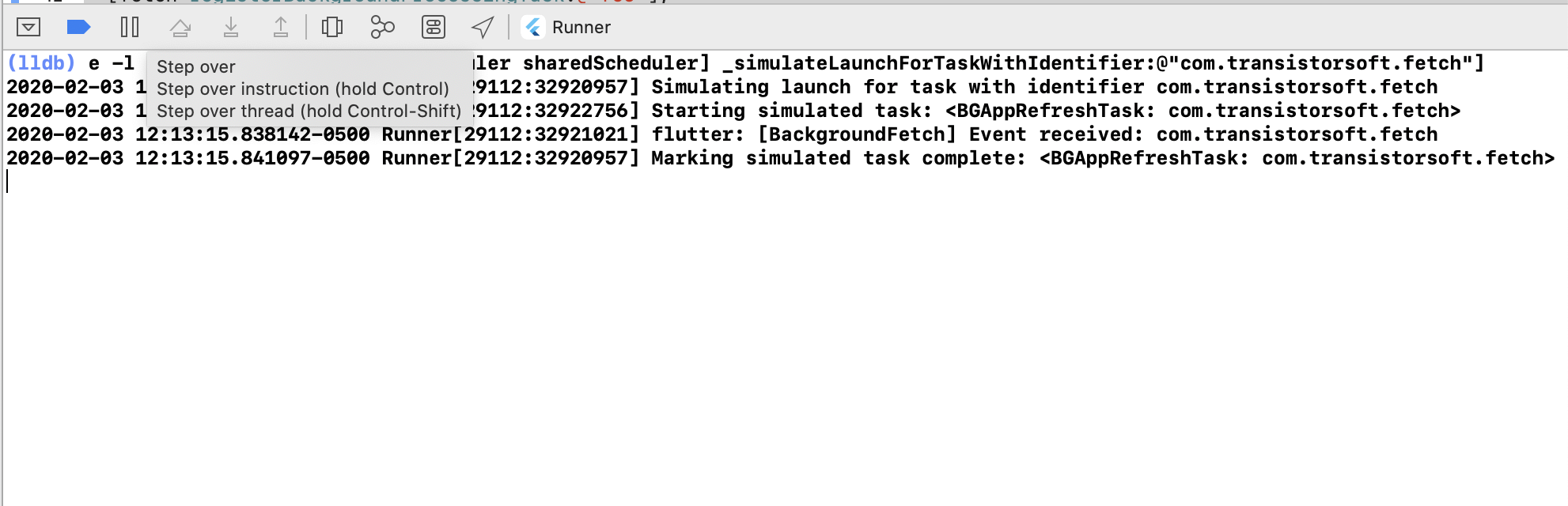
- Click the Continue button (). The callback provided to
configurewill receive the event.
Simulating Custom scheduleTask Events
If you've registered a custom task (e.g. com.transistorsoft.customtask), simulate it with:
e -l objc -- (void)[[BGTaskScheduler sharedScheduler] _simulateLaunchForTaskWithIdentifier:@"com.transistorsoft.customtask"]
Simulating Task Timeout Events
To simulate a task timeout, do not call finish(taskId) in your event callback, then run:
e -l objc -- (void)[[BGTaskScheduler sharedScheduler] _simulateExpirationForTaskWithIdentifier:@"com.transistorsoft.fetch"]
Your timeout callback will fire, allowing you to verify your timeout handling logic.
iOS Tips
Warning
iOS can take hours or even days before Apple's machine-learning algorithm begins regularly firing fetch events. Do not sit staring at your logs waiting for an event. If your simulated events work, everything is correctly configured.
- If the user doesn't open your app for long periods of time, iOS will stop firing events.
scheduleTaskon iOS seems only to run when the device is plugged into power.- There is no
stopOnTerminate: falsefor iOS — when the app is terminated, iOS stops firing events.
Android
Observing Logs
Use adb logcat to observe plugin logs:
adb logcat "*:S" TSBackgroundFetch:V
Simulating Fetch Events
Simulate a background-fetch event (replace <your.application.id> with your app's package name):
adb shell cmd jobscheduler run -f <your.application.id> 999
Simulating Custom scheduleTask Events
- Observe
adb logcatfor theregisterTasklog entry and copy thejobId:
TSBackgroundFetch: - registerTask: com.your.package.name (jobId: -359368280)
- Paste the
jobIdinto theadb shellcommand:
adb shell cmd jobscheduler run -f <your.application.id> -359368280
Simulating Headless Events
After terminating your app, simulate a fetch event to test your headless task:
adb shell cmd jobscheduler run -f <your.application.id> 999
Verify the headless task executes by observing adb logcat output.